
If you are receiving the below error in Integra it is because there are duplicated payees.

Step 1: Navigate to the Employee list
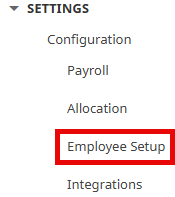
- Click on Settings, under Configuration, click Employee Setup.
Step 2: Check QuickBooks & Manual Payee Setup tabs for duplicate employees
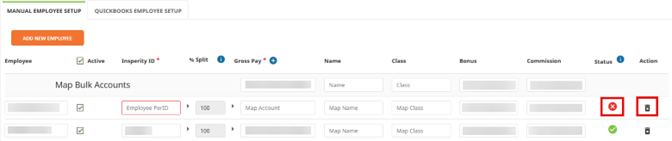
- Access both the QuickBooks Payee Setup Tab and Manual Payee Setup Tab to locate any (x) under the Status column.
- Resolve the red-boxed errors by selecting Edit on the top right-hand side

- Delete any duplicated employees by clicking on the trash icon to the far right
- Select Save on the top right-hand side.

- Re-import the XML file again.