
A schedule is used to show the days and hours an employee is expected to work each week. Schedules can be created in Insperity® Time and Attendance and used for planning purposes. You can also use them to track when an employee is absent, working on a nonscheduled day and/or early or late at the start or end of the workday.
Schedule group
A schedule group is used for setting up recurring schedules and can be applied to one or more employees. Schedule groups are created by using a set of rules to establish work hours and the days of the week to which they apply.
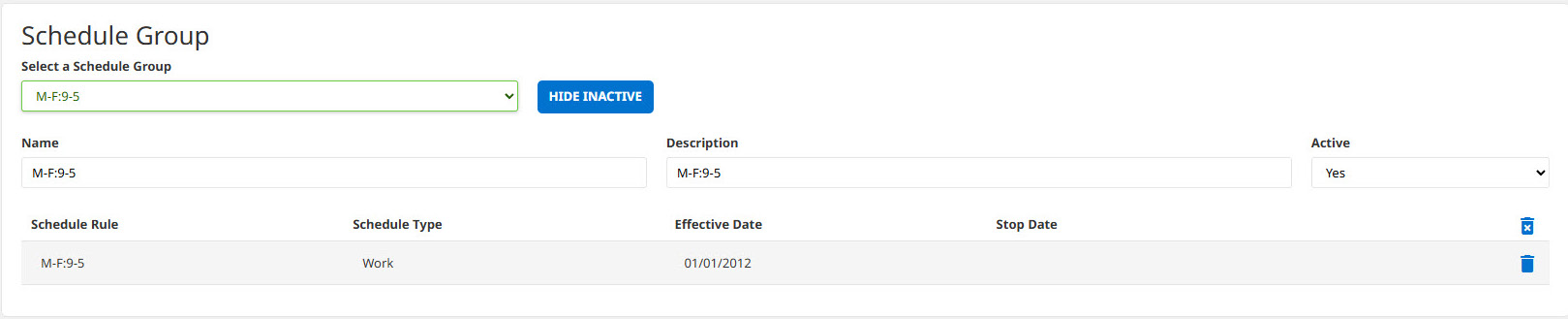
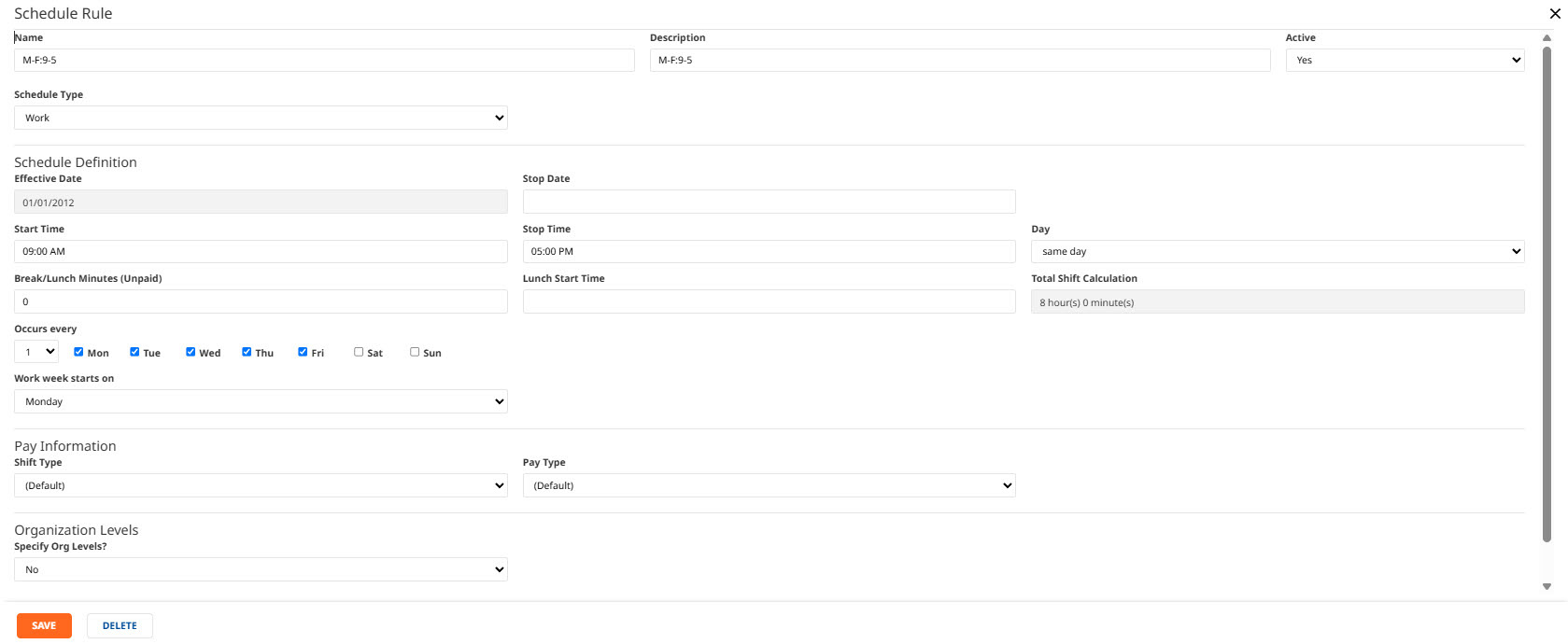
If the employee has the same schedule on each day worked, you can create one rule to apply to all days. If the employee has different hours on different days of the week, multiple rules will need to be created for this schedule group.
For example, if the employee works from 8 a.m.-5 p.m. on Monday through Friday and 8 a.m.-12 p.m. on Saturday, two rules must be created (one for the 8 a.m.-5 p.m. shifts on Monday through Friday and one for the 8 a.m.-12 p.m. shift on Saturday).
You’ll need to create a schedule group for each employee or group of employees with a unique set of workdays and times scheduled. Should an employee or group of employees need a one-time adjustment to their schedule to pick up an extra shift or take time off, these can be managed through a schedule deviation.
An “open schedule” schedule group may be used if an employee does not have a consistent schedule. The schedules can be added to that individual in the team schedule for each day.

Roles and access
Access to view, create and assign schedule groups to employees or view and edit the team schedule can be configured for your team. Most commonly, system administrators will be identified at the client level. These system administrators will receive instructions for use and have access to create and assign schedule groups and update the team schedule. Supervisors and managers will have viewing access for the schedule group and team calendar. During the setup of the schedules module, your Insperity® Time and Attendance implementation specialist will configure permissions according to your business needs.