
- When the clock is at an idle screen (time and date), enter “99999” and press the checkmark button.
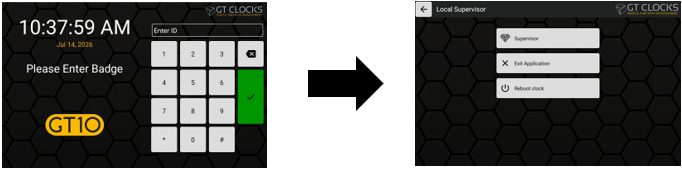
- Next select Exit Application from the options menu.
- During the application loading screen, select the Admin cog/wrench icon.
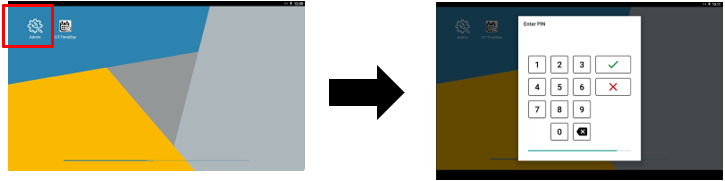
- When prompted, enter the default PIN number “1905” to access the Admin menu.
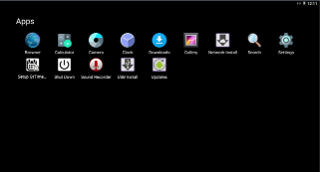
- From the Admin menu screen, you can access Settings (cog icon) and clock options, including networking. From the Settings page, you can view application information, firmware versions, enable and disable services, adjust clock terminal settings, access USB port, and run basic clock terminal diagnostics.
- To exit out of the Admin menu, press the center navigation circle or the back navigation button at the bottom of the menu. The clock will begin to load into the clock application and go back to the idle screen.