
- When the clock is at an idle screen (time and date), enter “99999” and press the checkmark button.
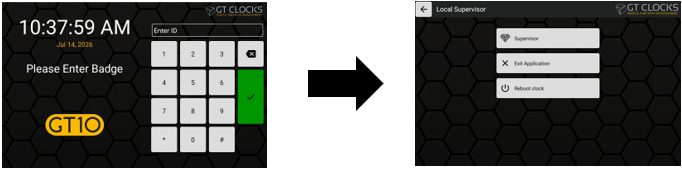
- Next select Supervisor from the options menu.
- From the supervisor menu, select user profiles to make adjustments for the employee or to begin biometric enrollments. Review employee punches made at that clock via Review, or check the Health Menu for clock statuses.
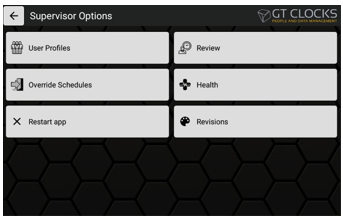
- To exit, press the Left Arrow button at the top left. If Restart App is pressed it will exit the clock application and restart automatically to the idle screen.